
NX Camera Info Pro can sign into Nx Cloud, list your sites and request a configuration backup through the cloud relay. You do not need to know a direct server address or add port forwarding, but your account must have backup rights on the selected site.
Keep the two accounts separate.
Your NX Camera Info website account activates Pro. Your Nx Cloud account grants access to Nx sites. Signing into one does not sign into the other, and a Pro licence never grants additional Nx permissions.
This workflow supports Nx Witness accounts at nxvms.com. It does not promise access to other OEM cloud providers. Internet access is needed for cloud authentication, even when the server itself is on your local network.
Open a site through Nx Cloud.
- Activate Pro, choose Open database → Nx Cloud, and enter your Nx Cloud email and password.
- Complete the authenticator-code prompt if the account or selected site requires it.
- Browse or filter the combined list of owned, directly shared and organisation-provided sites. Choose the site you are authorised to inspect.
- The server checks the backup request. If allowed, the app downloads the site snapshot, validates the SQLite data and opens its reports.
- Review the snapshot locally. Use Save backup as only when you deliberately want a retained file; Close database releases the retained in-memory snapshot.
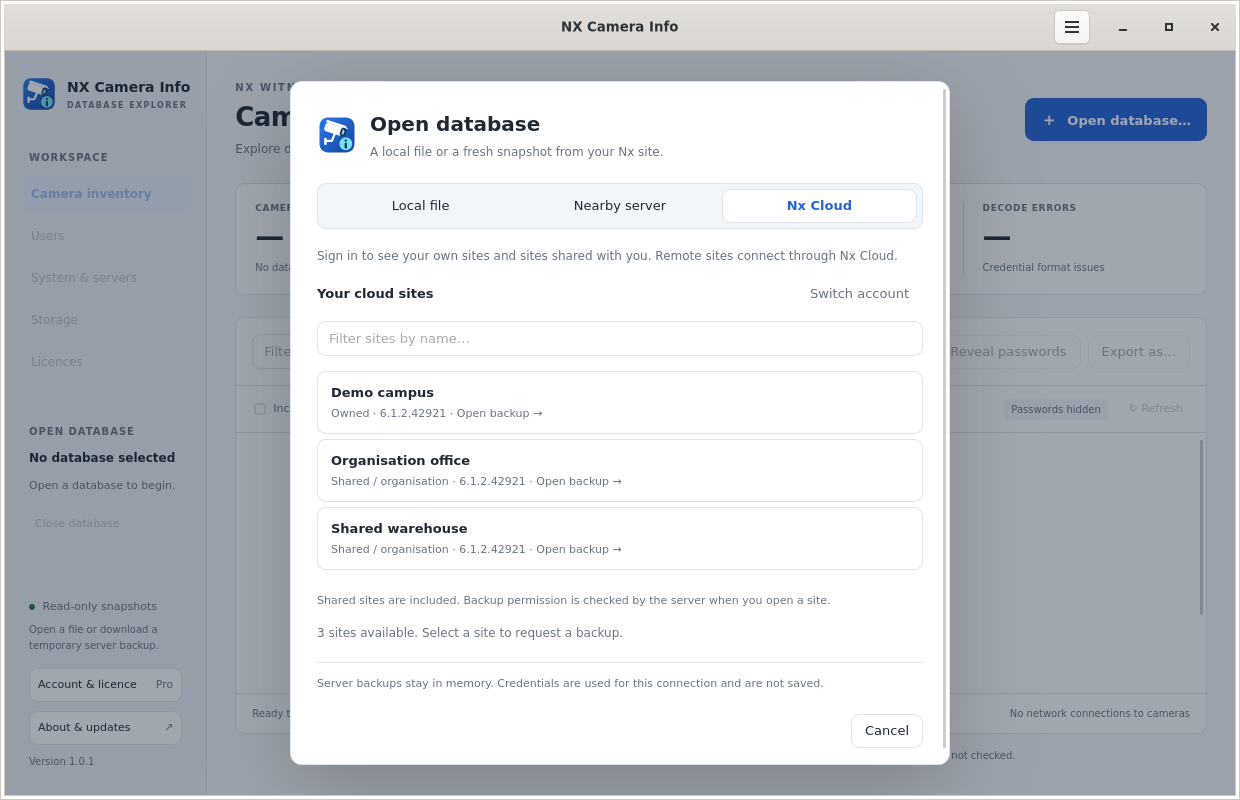 Choose an Nx Cloud site
A shared site is not automatically a downloadable site.
An account may be able to view cameras while lacking permission to create a database backup. Shared Power User access is not sufficient. Administrator or owner backup rights are required, and the server’s response is authoritative. If access is refused, ask the site’s authorised administrator to supply a backup or the appropriate permission.
The app distinguishes authentication, permission, connection and backup-format errors. It does not use an alternative endpoint to bypass a permission denial. If a site is unavailable, try again when its server and cloud connection are working.
Use a nearby or manually entered server instead.
On the Nearby server tab, discover a server or enter its HTTPS address. Choose a local Nx account or an Nx Cloud account. For a self-signed or otherwise untrusted server certificate, independently compare the displayed SHA-256 fingerprint before trusting that exact certificate for the operation. Cloud service certificates still require normal system trust.
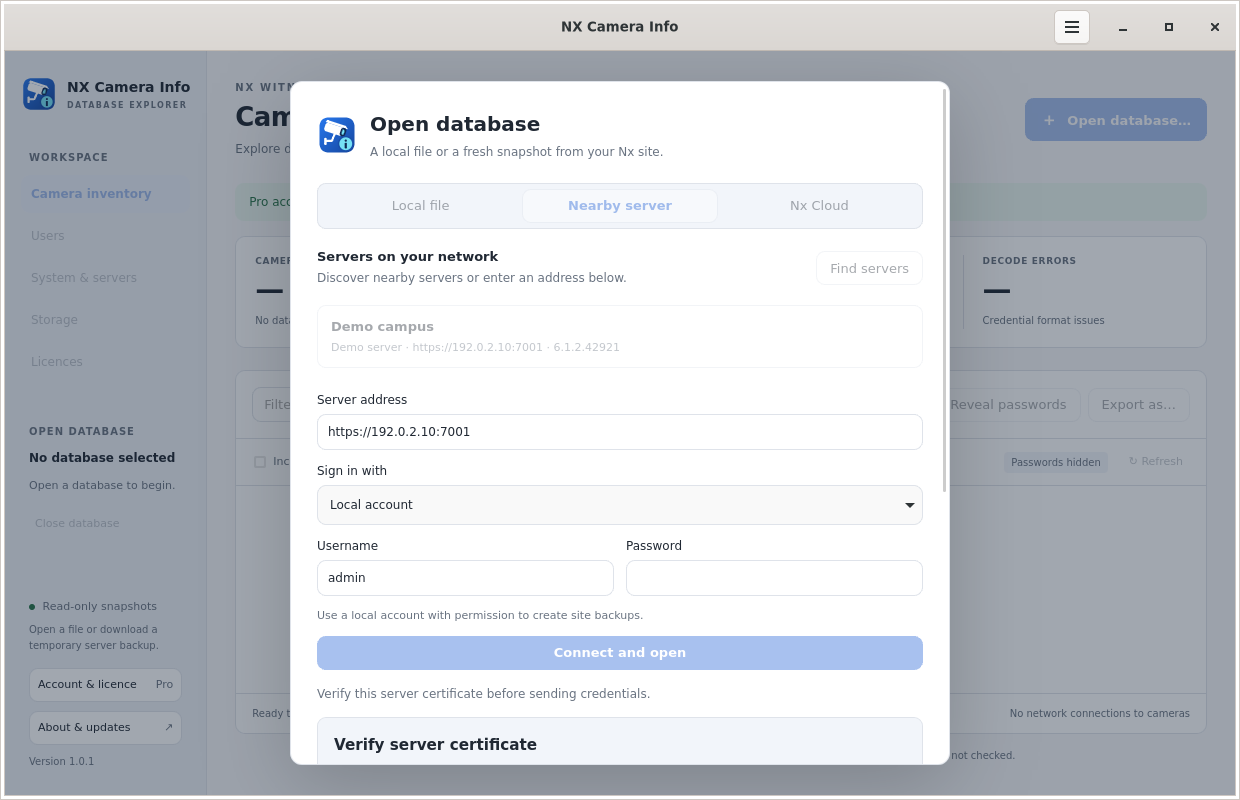 Review a server certificate
Know what stays in memory.
The app retains the downloaded SQLite backup and report in memory, with a decoded backup limit of 128 MiB. It does not create a temporary database file. Closing the snapshot releases the retained data, but this is not a promise of forensic erasure from OS swap or crash dumps. Exports and saved backups deliberately write to disk.
Nx credentials are used for the selected Nx services and are not sent to this licensing website. Cloud browsing sessions are short-lived and refresh requires another sign-in. Read the website privacy disclosure for the separate account and licence records.