
The saved system.
Made readable.
A tour of the actual desktop app, with synthetic demonstration data. Select any screenshot to enlarge it, zoom in or browse the other images on this page.
Start with the camera list.
Open a supported local Nx Witness SQLite database or backup. Browse camera names, saved network addresses, manufacturers, models and server assignments. Search, filter and sort to find the equipment you need; choose whether to include virtual camera records.
Free does not need a website account. Passwords stay masked, and paid actions explain the Pro upgrade. See which database to open.
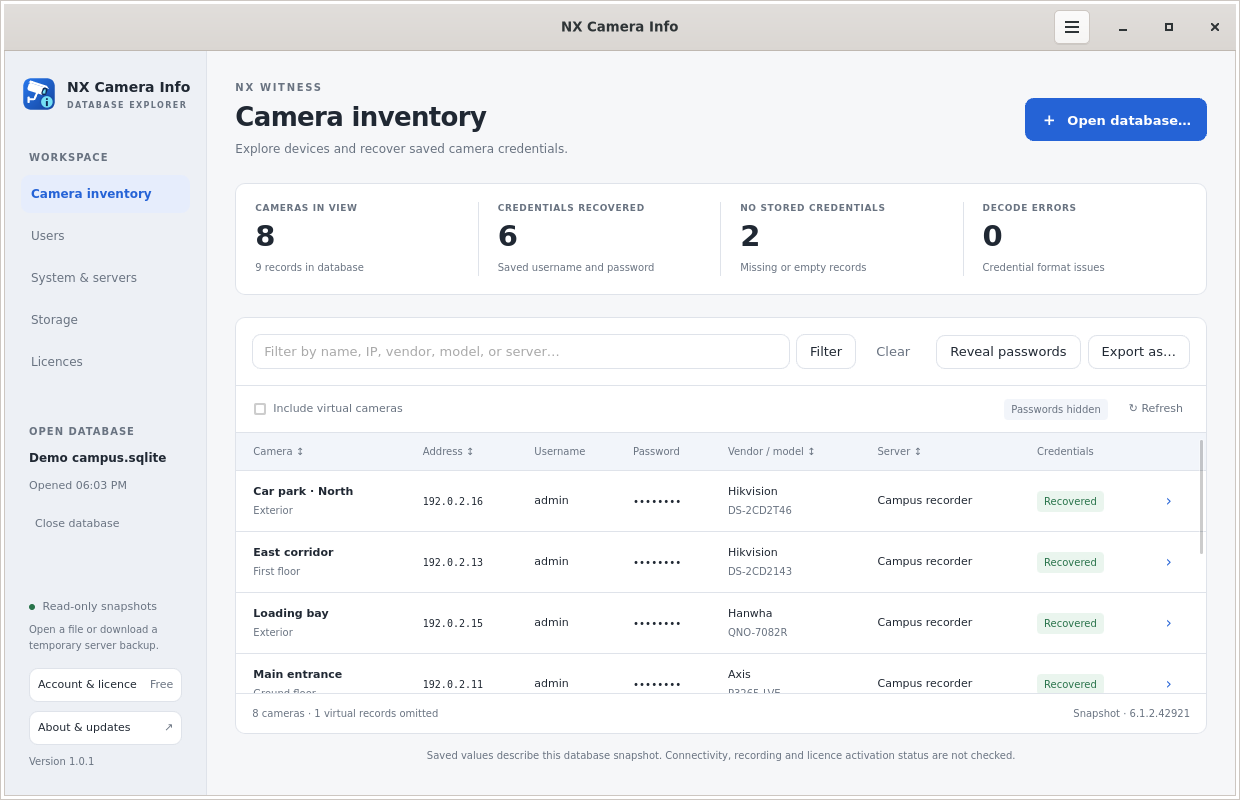 Free camera inventory
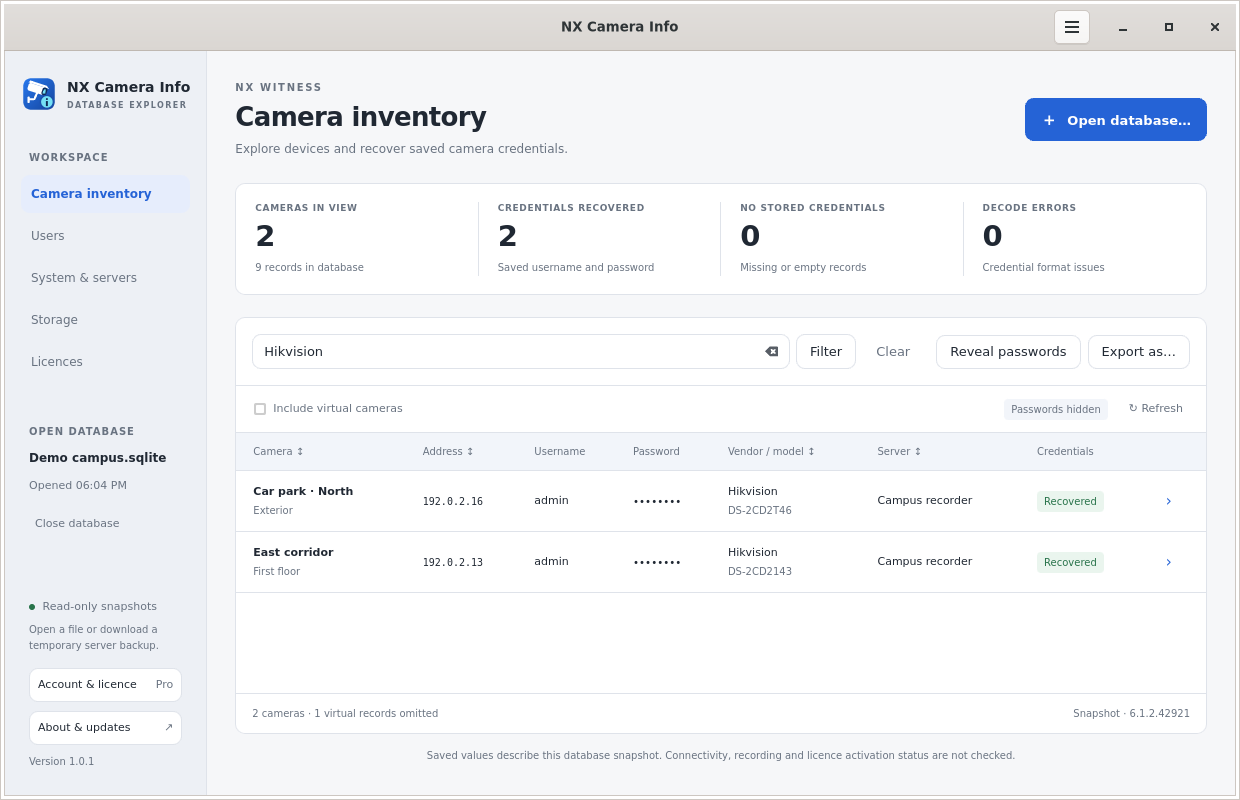 Filter the camera list
Recover the camera credentials that were saved.
Reveal stored camera usernames and passwords when the database contains a supported credential record. Recovery status distinguishes a recovered value from missing information or a decode failure. Passwords and sensitive URL components are hidden by default.
The app does not test credentials against cameras. A saved value may be old, and Nx account password hashes are not recoverable camera credentials. Read the password recovery guide.
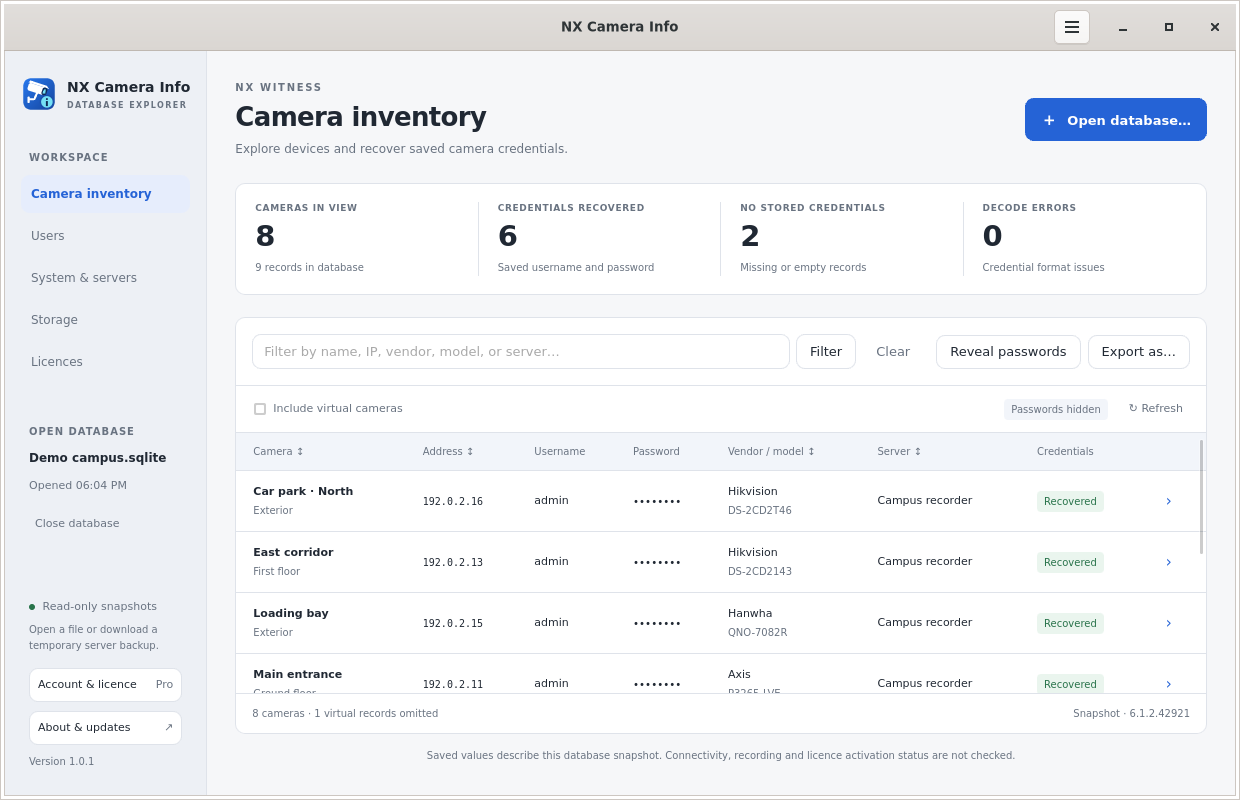 Camera inventory in Pro
A local file, a nearby server or an Nx Cloud site.
Start with a local backup, discover a nearby server, or enter an HTTPS address manually. For a server connection, choose local or cloud authentication and review any untrusted certificate fingerprint before continuing.
The Nx Cloud list includes owned, directly shared and organisation-provided sites. Authenticator codes are requested when needed. A site being visible does not mean your account has backup permission.
Pro downloads a supported backup into memory and opens it locally. Closing it releases the retained snapshot; Save backup as deliberately writes a file. Connection and permission guide.
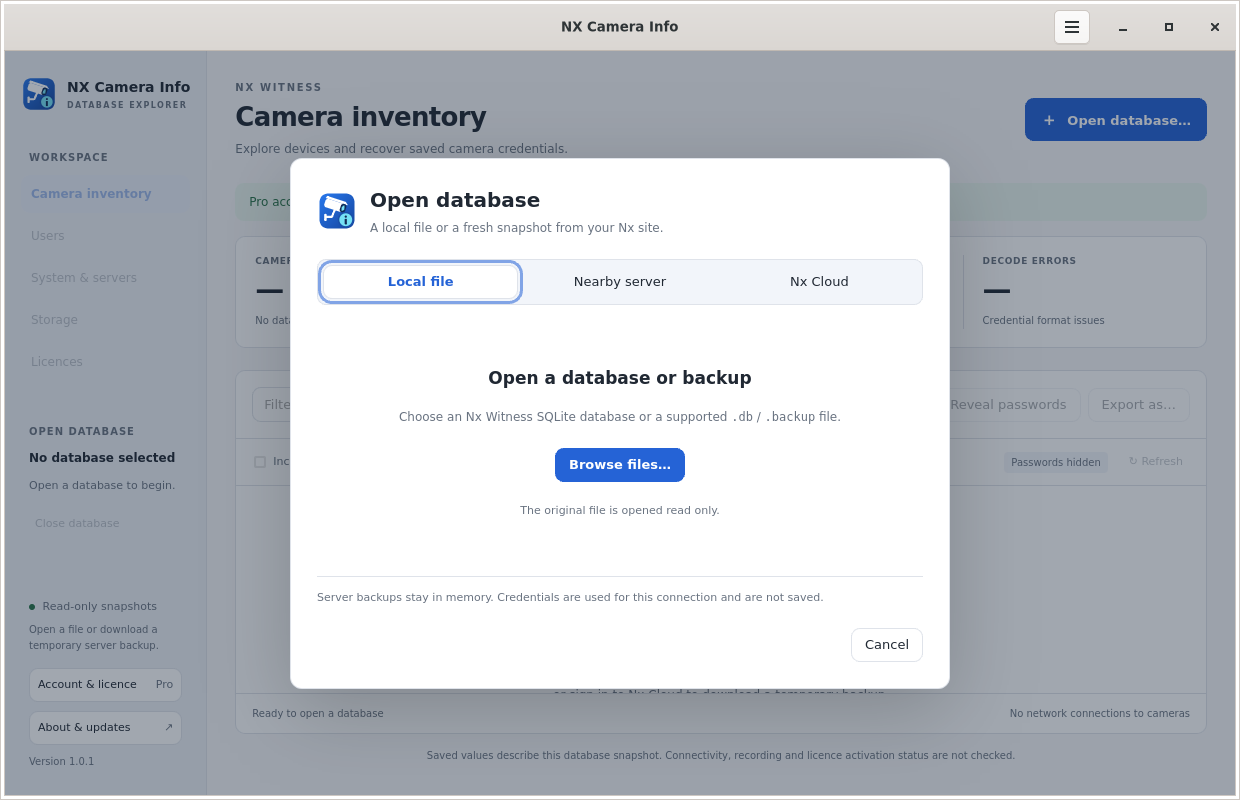 Open a local database
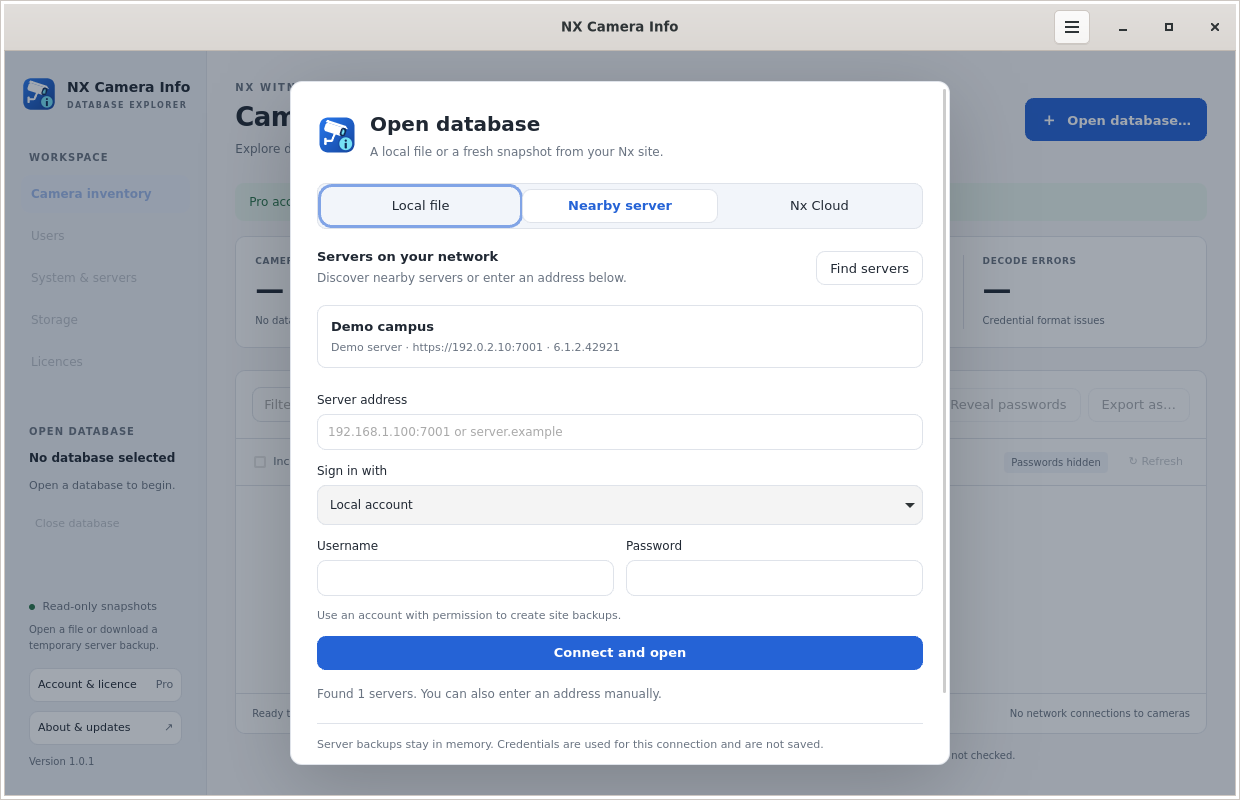 Nearby or manual server connection
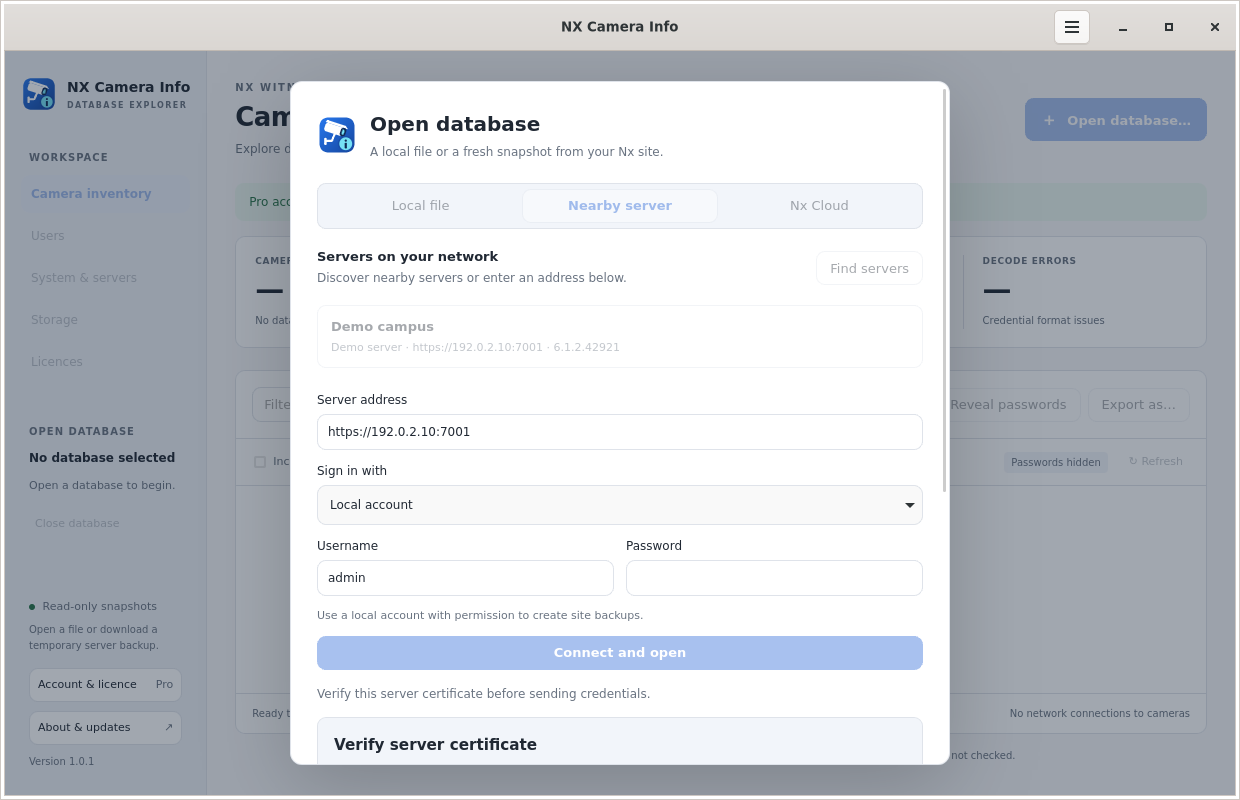 Review a server certificate
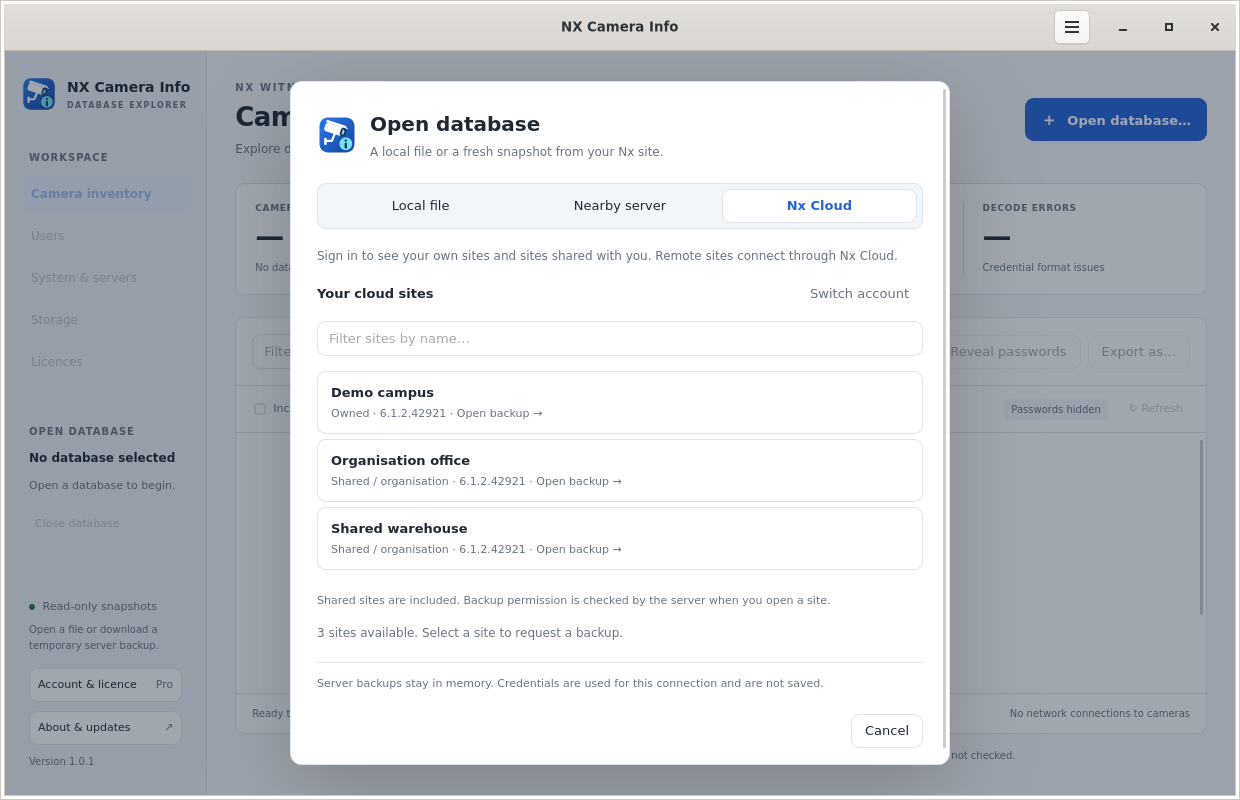 Choose an Nx Cloud site
The context around every camera.
The database can explain more than the camera list. Review the saved user accounts, system and server configuration, storage records and Nx licence information together. Fields depend on what the snapshot contains; unknown information stays unknown.
Read the report field guide or use the reports to prepare a migration.
Users and roles
Local, cloud and directory accounts, display names, email addresses, enabled status and role or group details. User passwords are not recovered.
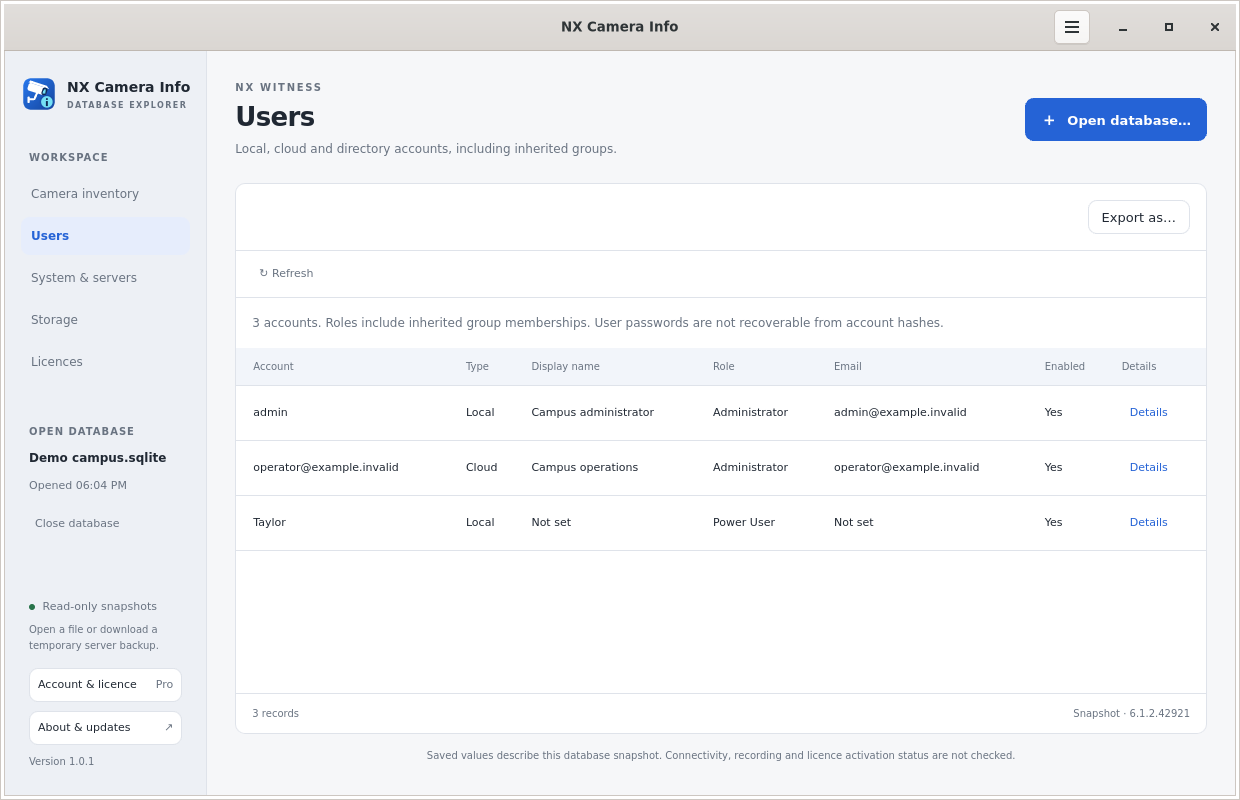 Local and cloud users
System and servers
Saved names and addresses, Nx version and build, OS, CPU, RAM and time zone where stored. Discovery addresses may be historical.
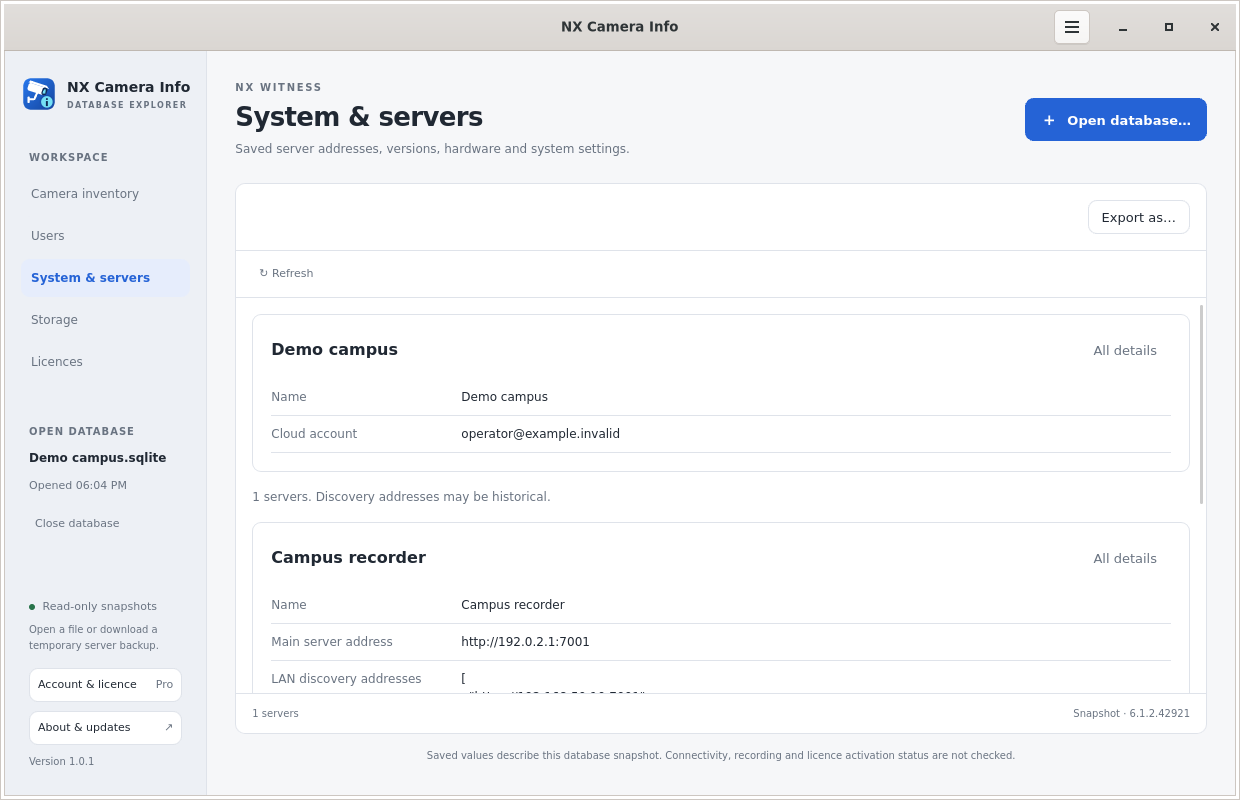 System and server information
Storage
Recording and backup paths, storage type, saved space values and flags. These are not current disk measurements or recording-health checks.
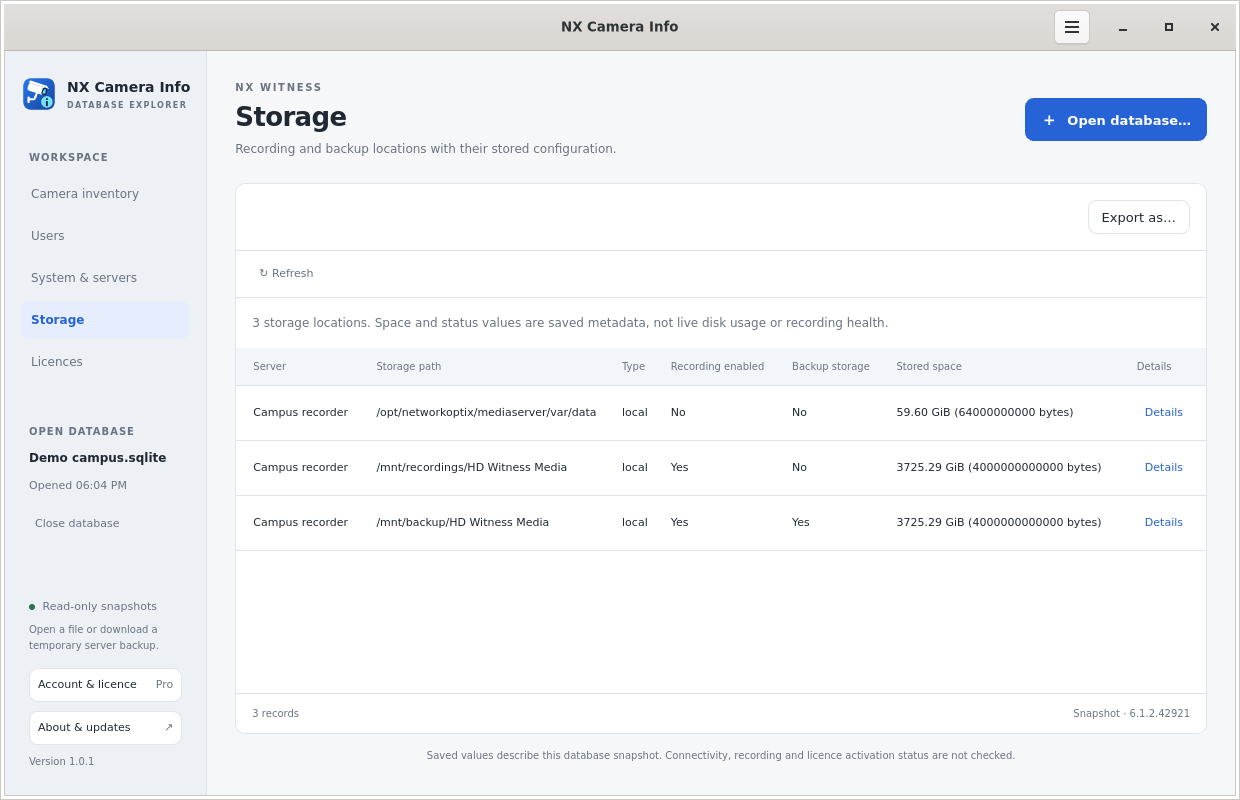 Storage configuration
Nx licences
Full keys, channels and saved licence fields, plus calculated remaining deactivations. Remaining activations are unavailable from the database.
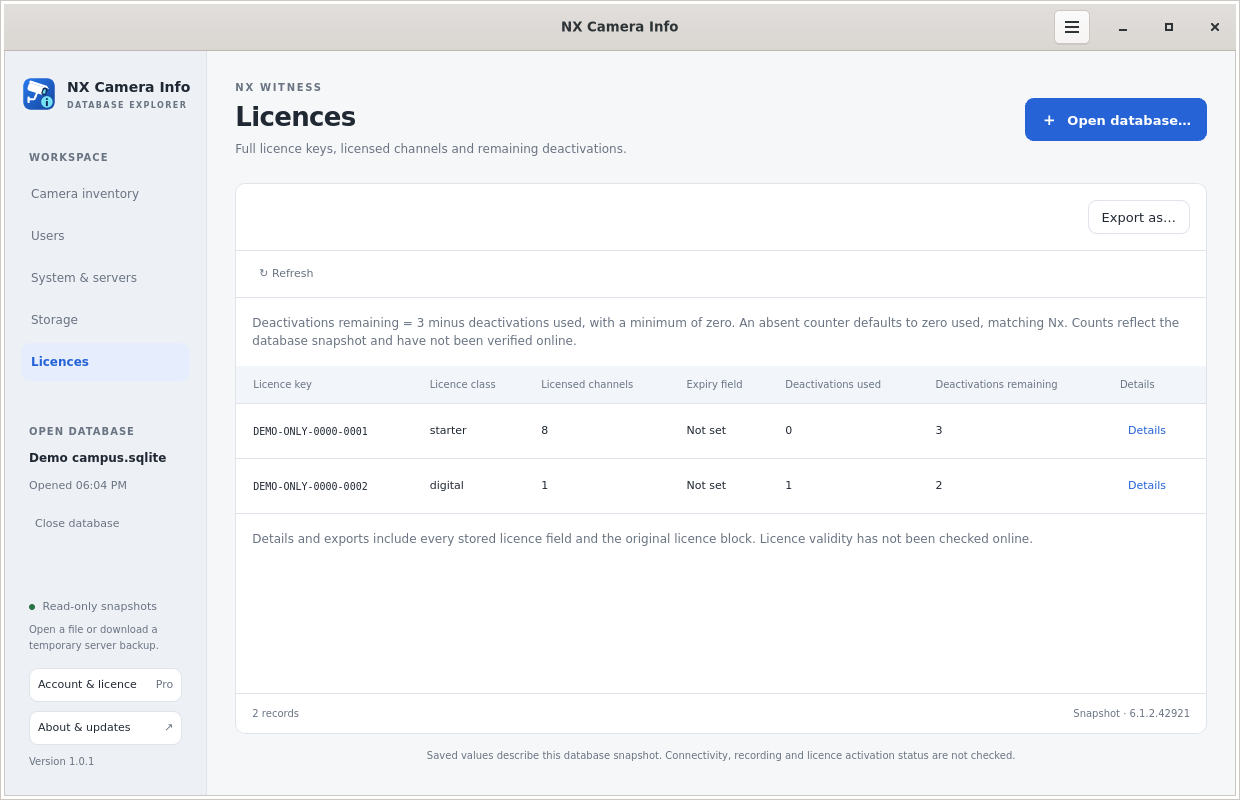 Nx licence records
A report you can actually use.
Export CSV for tabular work or JSON for a structured site report. Choose cameras, users, system, servers, storage, licences or the complete report. The command-line tools provide the same data on all six supported OS and processor combinations.
Camera passwords are masked unless deliberately included. Full reports still contain sensitive site information and full Nx licence keys. Choose the right export or continue in SADPTools.
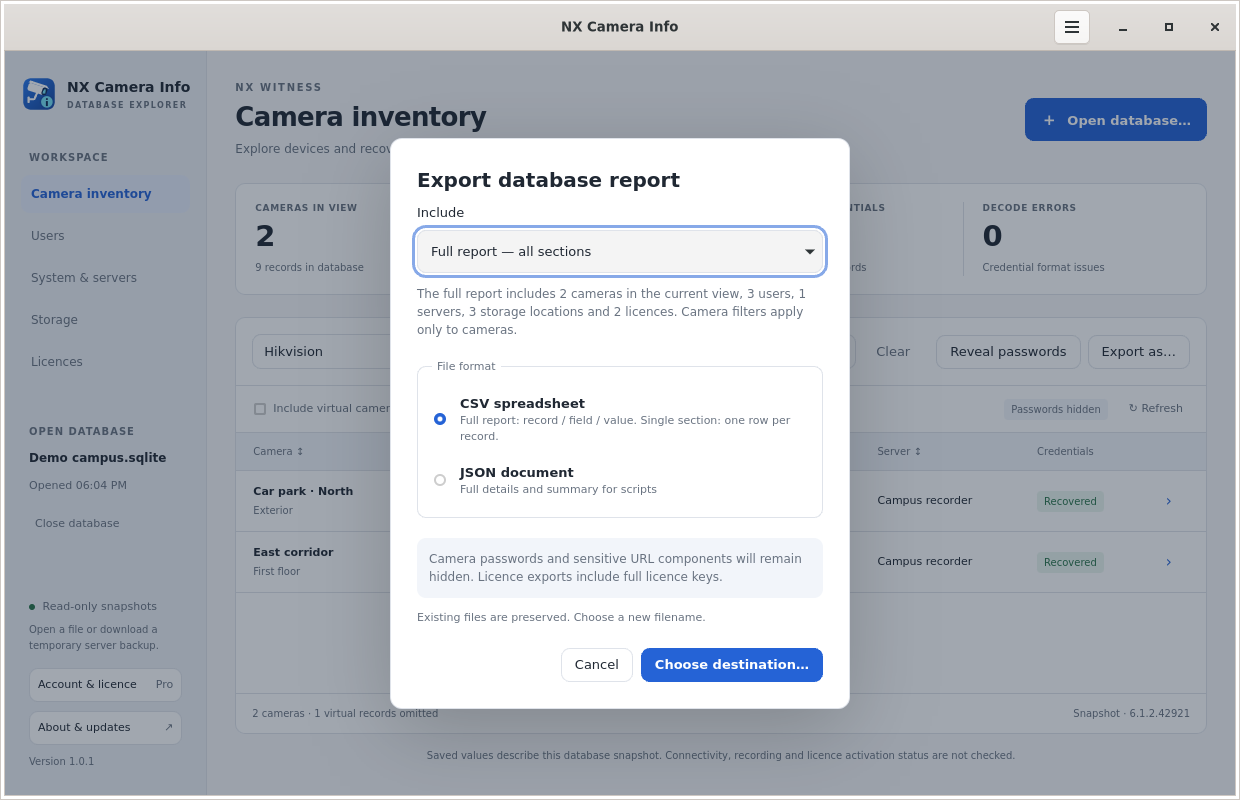 Choose a report export
Clear edition status. Familiar desktop updates.
One installer starts in Free. An active Pro licence unlocks the features without reinstalling and covers five computers belonging to the same account. Sign-in supports website two-factor authentication. The account page distinguishes Free status from an active Pro entitlement.
Updates come from this website. The app checks signed release information and the downloaded package checksum, then offers Install and close. Installer and OS prompts still apply. Installation and activation details.
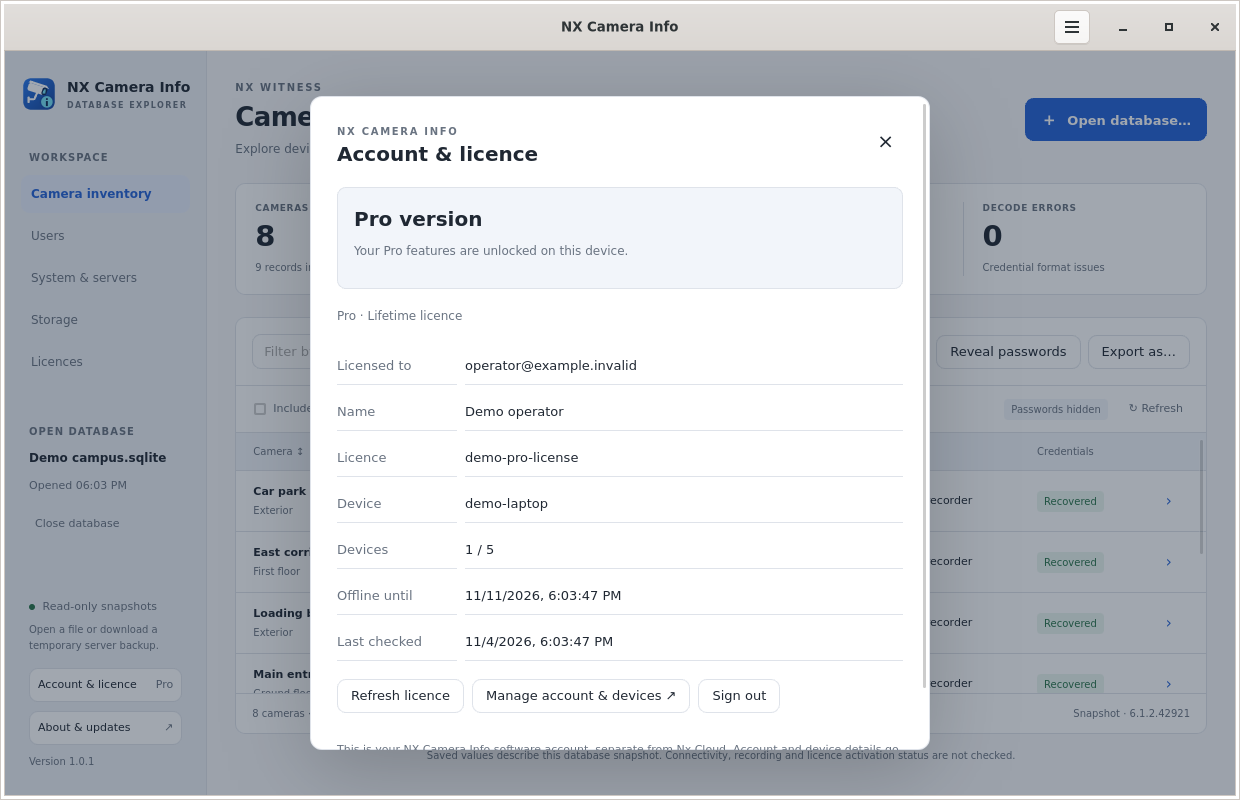 Pro account and device activation
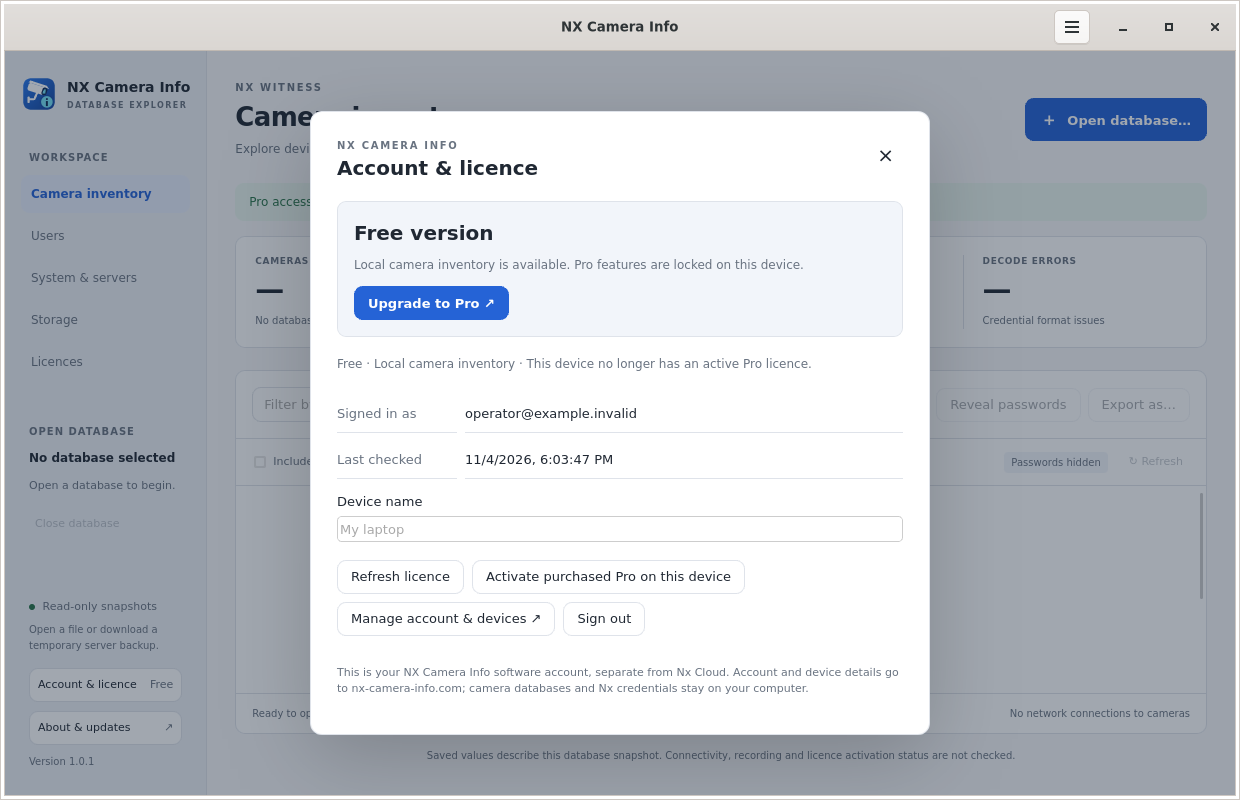 A clear Free edition status
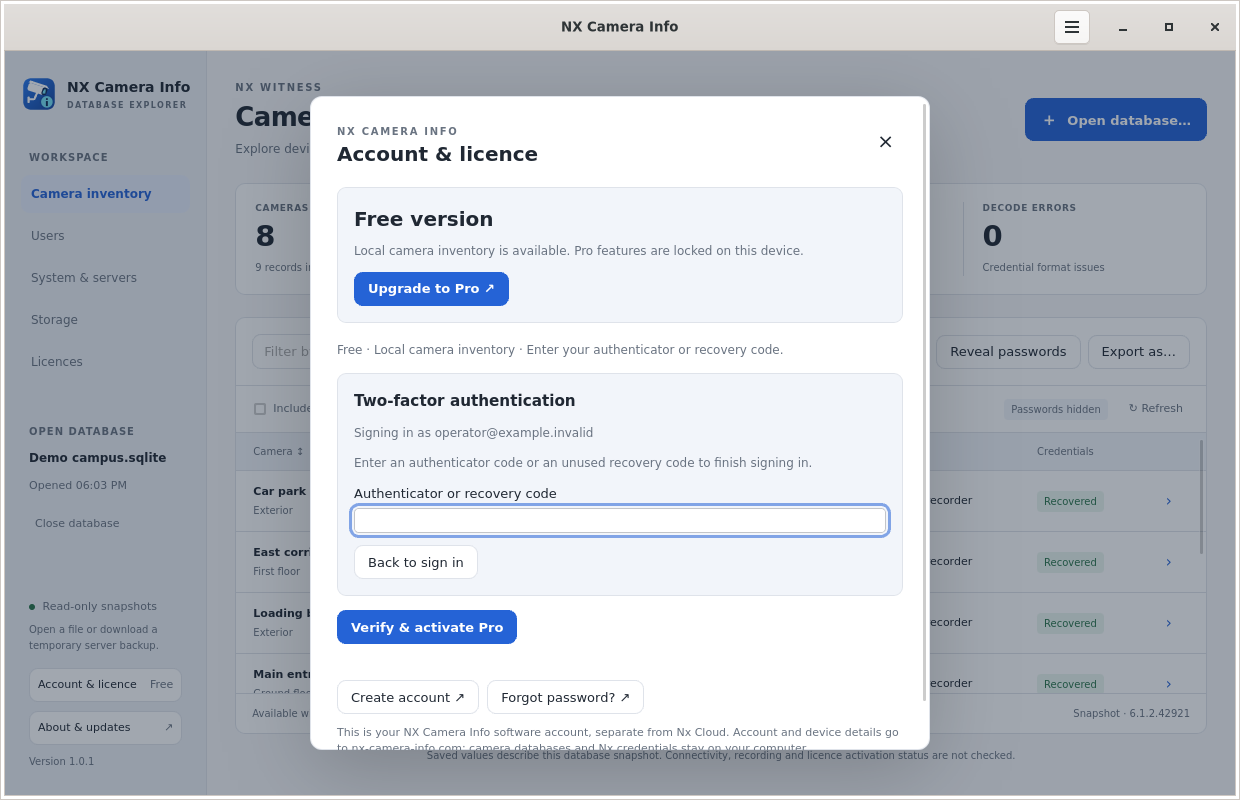 Two-factor authentication
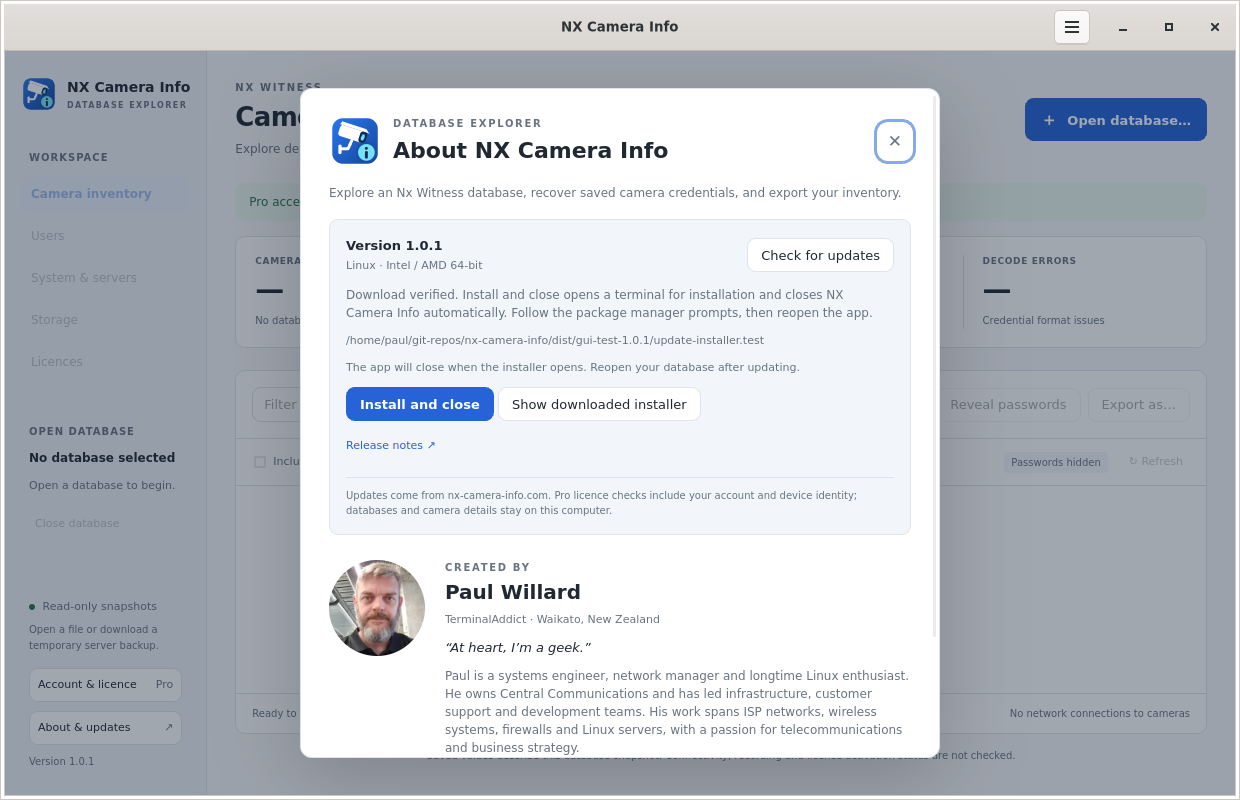 Install an update and close
Choose the tool for the job.
NX Camera Info is a database and backup inspection utility. It does not monitor live camera health, recover video recordings, reset passwords, restore servers or bypass account permissions.
Desktop packages are available for Windows and Linux Intel/AMD 64-bit and ARM64, and macOS Intel and Apple Silicon. Download the matching package and compare the editions.