
Use NX Camera Info to understand the saved Nx Witness configuration, then sister app SADPTools to carry that information into authorised on-site discovery and device checks. The two applications serve different stages of the same practical job.
The scenario: the backup is your only camera schedule.
You are taking over a site. The Nx backup contains camera names and saved network details, but the physical installation has changed over time. Start by extracting a documented baseline, then compare it with what is actually reachable on the network. Keep the original snapshot distinct from new observations.
1. Inspect and export the saved site.
Open the backup in NX Camera Info. Free lets you review the local camera list. With Pro, inspect credential recovery results and the users, servers, storage and licence sections, then export the report needed for your handover.
A full JSON report preserves the complete structure; a camera-only CSV is useful for a narrower inventory. Include passwords only if they are needed for the authorised work. Keep credential-bearing exports private and remember that complete reports can contain full Nx licence keys.
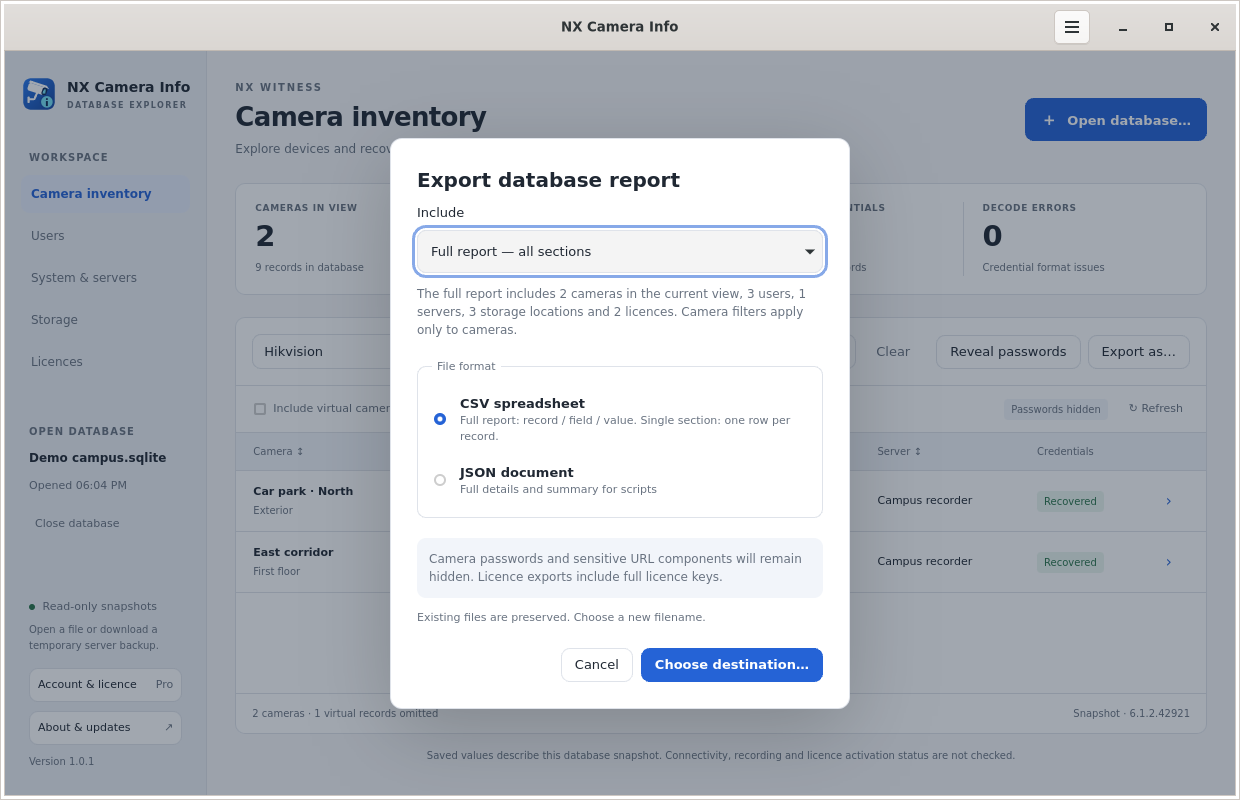 Choose a report export
2. Bring the information into SADPTools.
SADPTools is our free sister application for compatible camera discovery and installation work on Windows, Linux and Mac. Its published feature tour describes importing NX Camera Info reports with camera inventory and Nx Witness server, user, storage and licence details into saved sites.
Create or select the appropriate site workspace and use the report import supported by your installed SADPTools version. Review the imported records before relying on them. The apps are separate: there is no promise of automatic synchronisation, and editing a SADPTools site does not rewrite the Nx database.
3. Check the actual installation.
On a network you are authorised to work on, use SADPTools’ supported discovery methods. Its SADP discovery targets compatible Hikvision equipment on the local network. Known-IP access and explicitly selected network scans depend on a working route and reachable services.
Compare saved identities such as model, MAC or serial where available, rather than assuming that a reused IP address identifies the same camera. Review any differences in your handover notes. A device missing from one discovery method is not conclusive proof it is offline or removed.
4. Continue only with supported, permitted actions.
SADPTools provides device tools according to model, firmware, protocol capabilities and account permission. Consult its current feature and installation guides for the exact supported operations. Importing a password neither validates that password nor grants access beyond the account’s rights.
Any configuration work should be deliberate and approved through the site’s normal process. NX Camera Info itself does not contact cameras, change their settings or monitor live health. If the task is purely documentation, you can finish with the report without performing device changes.
The handover you leave behind
Keep the snapshot source, the exported baseline and your observed differences together. A future technician should be able to distinguish “saved in the Nx backup” from “verified on site”. That distinction makes recovered information more useful than a spreadsheet that silently mixes old and current values.
Both applications are independent software by Paul Willard. NX Camera Info is not affiliated with Network Optix; SADPTools is not affiliated with Hikvision. See site handover for a broader documentation checklist.