
An authorised Nx Witness backup can be the starting point for documenting an inherited CCTV installation. Use the camera inventory to establish what was configured, then add Pro reports to explain the people, servers and storage around it.
The scenario: a new team takes over.
You have permission from the site owner, a database backup and a list of unanswered questions. Which camera serves the loading bay? Which server owns it? Are there local users as well as cloud accounts? Where was recording storage configured? A report gives the team something concrete to review with the owner.
Begin by recording the source of the backup and when it was obtained. Treat the snapshot as evidence of saved configuration at that point. Avoid relabelling it as a current audit until the relevant details have been checked against the running installation.
Build a handover in layers.
- Camera inventory. In Free, browse and filter the local file. Check names, saved addresses, manufacturer/model and server assignment. A named camera is not necessarily the same physical device that is there today.
- Account context. In Pro, inspect local, cloud and directory accounts, display names, roles and emails. Discuss ownership and continuing access with the site owner; do not infer present access solely from an old snapshot.
- Server context. Capture stored server names, addresses and Nx builds. Include servers without assigned cameras when they appear in the report.
- Storage and licences. Record saved paths, recording/backup flags, full keys and channel capacity. Keep these sections restricted to the people who need them.
- Exports and follow-up. Produce a masked camera CSV for ordinary coordination and a fuller JSON report for technical review. Document missing fields and the checks still required.
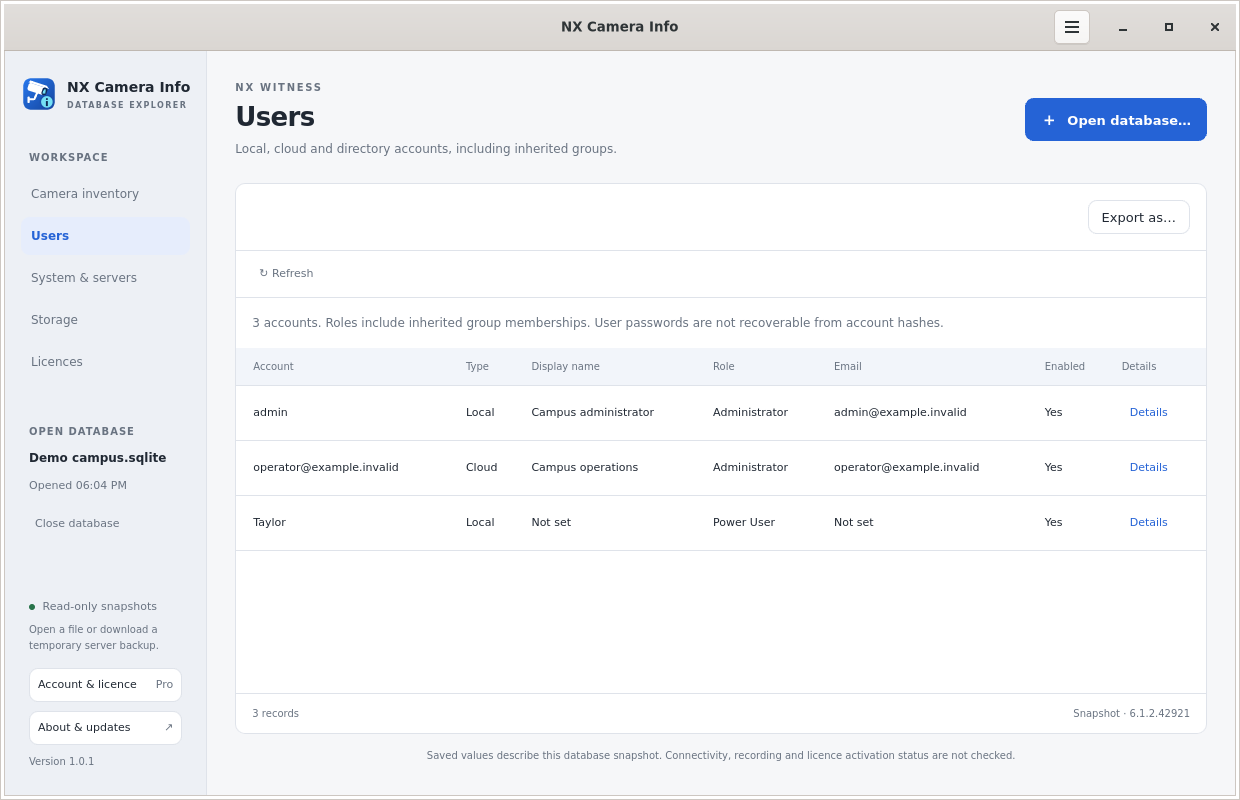 Local and cloud users
Separate inventory from credentials.
A handover does not need to put passwords in every spreadsheet. Use masked exports for the general inventory and share credentials only through the organisation’s chosen secure process. Full reports contain Nx licence keys even if camera passwords are hidden; a camera-only export is often a better starting point for a broad audience.
The Users report does not recover local Nx passwords or cloud passwords. A role may include inherited permissions, so a raw direct-permission value alone is not a complete explanation of access. Use the running Nx system to carry out approved account changes.
Finish with an on-site review.
Use the saved inventory to focus your visit, then record what you actually observe. Sister app SADPTools can import NX Camera Info reports into its site workspace and help with supported device discovery and checks. Read the combined workflow before treating imported details as current observations.
The result is a useful baseline with an explicit source, scope and list of unresolved details. See export formats for a report that fits the next person’s tools.