
NX Camera Info Pro exports camera lists and complete site reports to CSV or JSON. Use a camera-only CSV for a spreadsheet, or full JSON when you need the relationships between cameras, users, servers, storage and licences.
Choose the report for the reader.
Open a supported database, select the report page and choose Export as. Check the scope, format and password visibility before choosing a destination. Camera filters narrow the camera results; they do not reduce users, storage, servers or licence records in a full report.
| Format | Shape | Useful for |
|---|---|---|
| Camera CSV | One row per camera | Inventory lists, spreadsheet review and camera-specific import tools |
| Single-section CSV | One row per record; nested values encoded as JSON cells | A particular user, server, storage or licence report |
| Full-report CSV | record_type,record_id,field,value | Keeping all report sections in one CSV without dropping nested detail |
| Full JSON | Structured summary, system, servers, users, storage, licences and cameras | Technical handover, scripts and supported report importers |
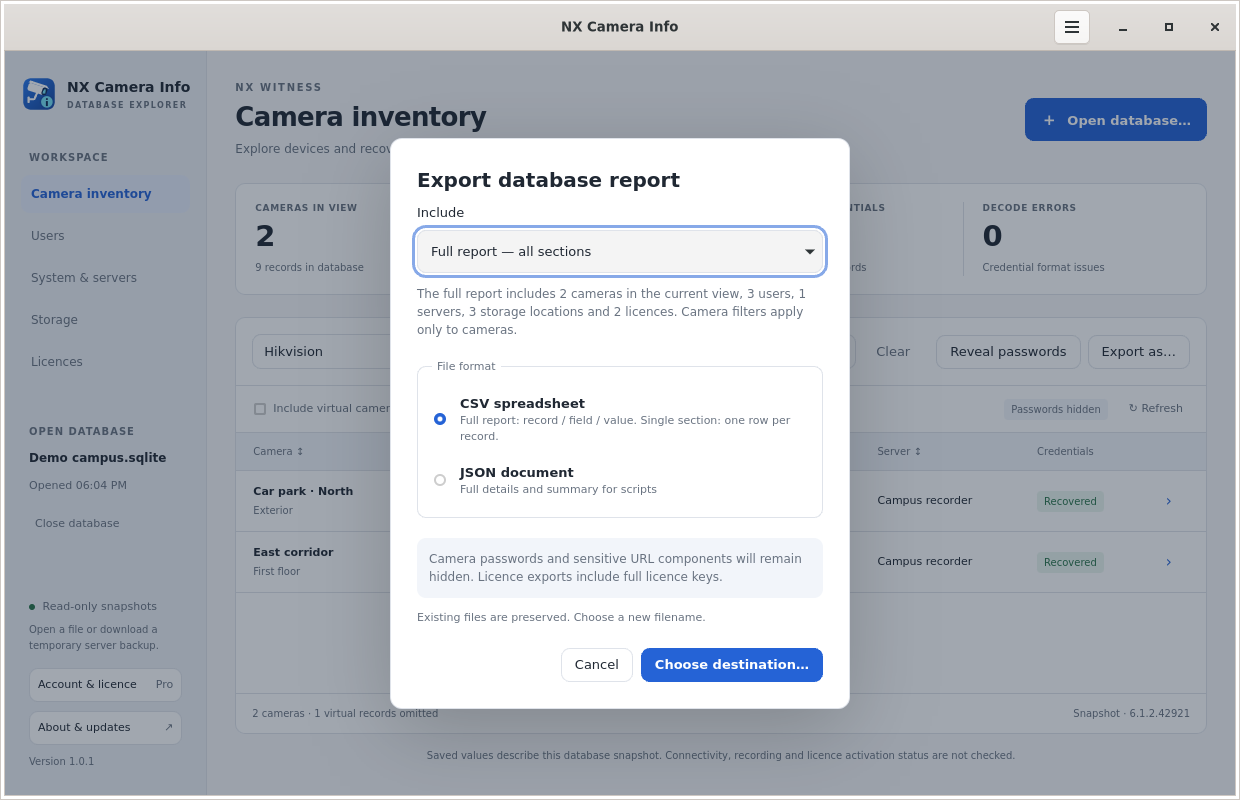 Choose a report export
Keep masked reports useful.
Camera passwords are hidden by default. Masked output also removes URL user information, query strings and fragments that might contain credentials; URL paths remain visible. Deliberately revealing passwords includes saved credentials and complete URLs.
A masked report is not necessarily public information. Full licence keys remain in licence reports, and names, addresses and user emails can identify a site. Choose the narrowest scope that fits the recipient. CSV preserves values exactly: use a text-aware import in spreadsheet software so untrusted device names are not interpreted as formulas.
Use the same reports from the command line.
The CLI requires Pro for database operations. Download the binary for your platform, then authenticate interactively. These examples assume you have named the executable nx-camera-info and made it available in your command path; on Windows the filename normally ends in .exe.
nx-camera-info auth login
nx-camera-info auth status
nx-camera-info --db "site-backup.db" --section cameras --format csv --output cameras.csv
nx-camera-info --db "site-backup.db" --format json --output site-report.json
nx-camera-info --db "site-backup.db" --section users --format csv --output users.csv
Add --show-passwords only when a credential-bearing report is intended. Use --filter for camera matches and --help for all options. Explicit --db paths avoid relying on platform-specific defaults.
The CLI’s --output creates a new file and refuses an existing destination or symlink. On Linux and macOS it uses owner-only file permissions; Windows inherits destination-directory permissions. Shell redirection follows your shell’s permissions instead. Keep exports in an appropriately private directory on every platform.
Carry the report forward.
Retain the snapshot source and date alongside the report. Importing an old address does not make it a current observation. See the handover guide or the SADPTools workflow for the next stage.