
NX Camera Info Pro reads the site context around the camera inventory: user accounts, system and server details, storage configuration and Nx licence records. Each section describes the database snapshot, not a live audit of the site.
Users: account identity and access context
The Users report includes local, cloud and LDAP account types where stored, account names, display names, roles, emails and enabled status. Details include group IDs, inherited groups and direct permission data. Built-in Nx 6.1 roles are resolved even when there is no corresponding custom-group row.
A zero direct-permission value does not necessarily mean no access: permissions may be inherited. Treat the report as context for an account review and check the running system before changing access. User password hashes are not exported and Nx user passwords are not recovered.
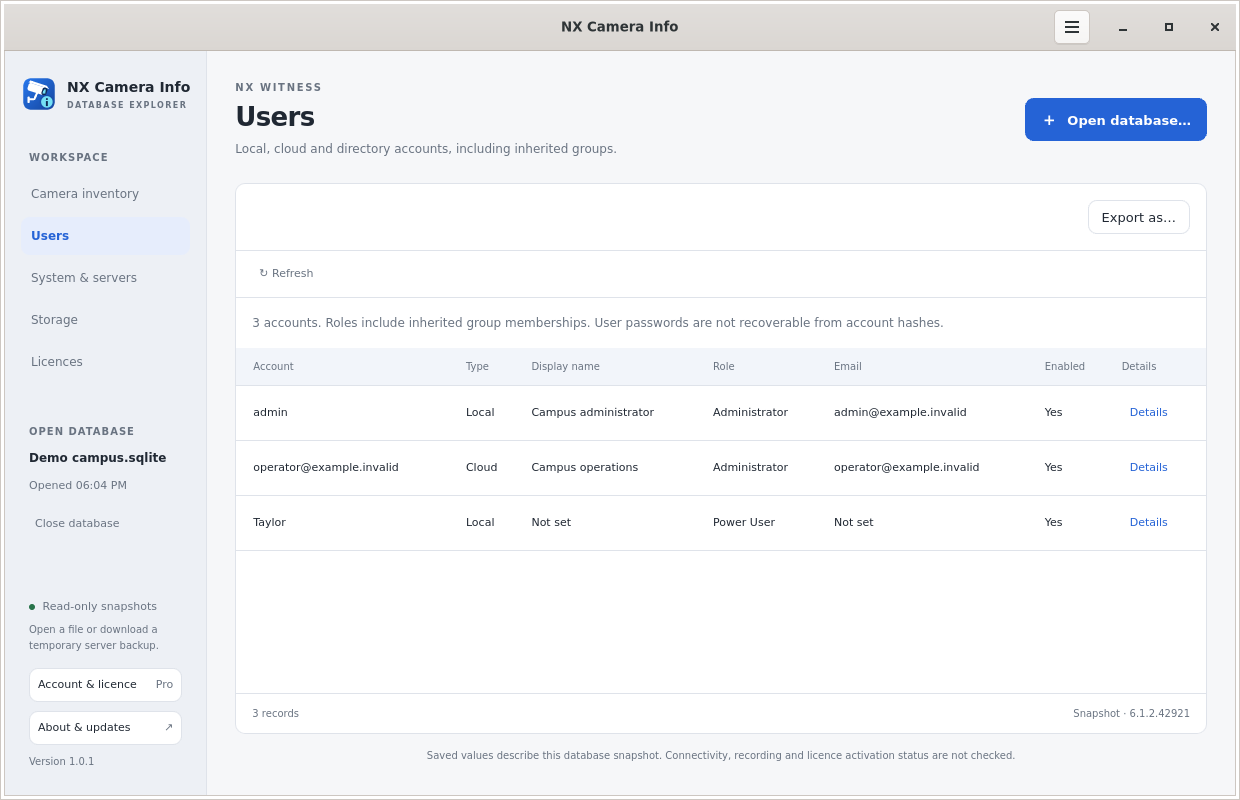 Local and cloud users
System and servers: names, addresses and versions
Inspect saved system identifiers, server names, main and discovery addresses, Nx version and full build identifier. Where available, the report also contains OS, architecture, CPU, RAM, time zone and selected disk or interface descriptions. Servers without cameras are included.
Main and LAN discovery addresses can help explain how a site was reached when the snapshot was created. Discovery entries can be historical or marked ignored. The app does not test reachability or resolve saved hostnames into current IP addresses.
Storage: configured locations and saved measurements
Storage rows describe the assigned server, path, type, recording and backup flags, saved space values and limits in bytes, archive mode and selected properties. They can help document drive letters, mount points and backup destinations before a migration.
These are saved values, not measurements of current free space or disk health. A configured recording path does not establish that recordings exist, remain intact or cover a particular retention period.
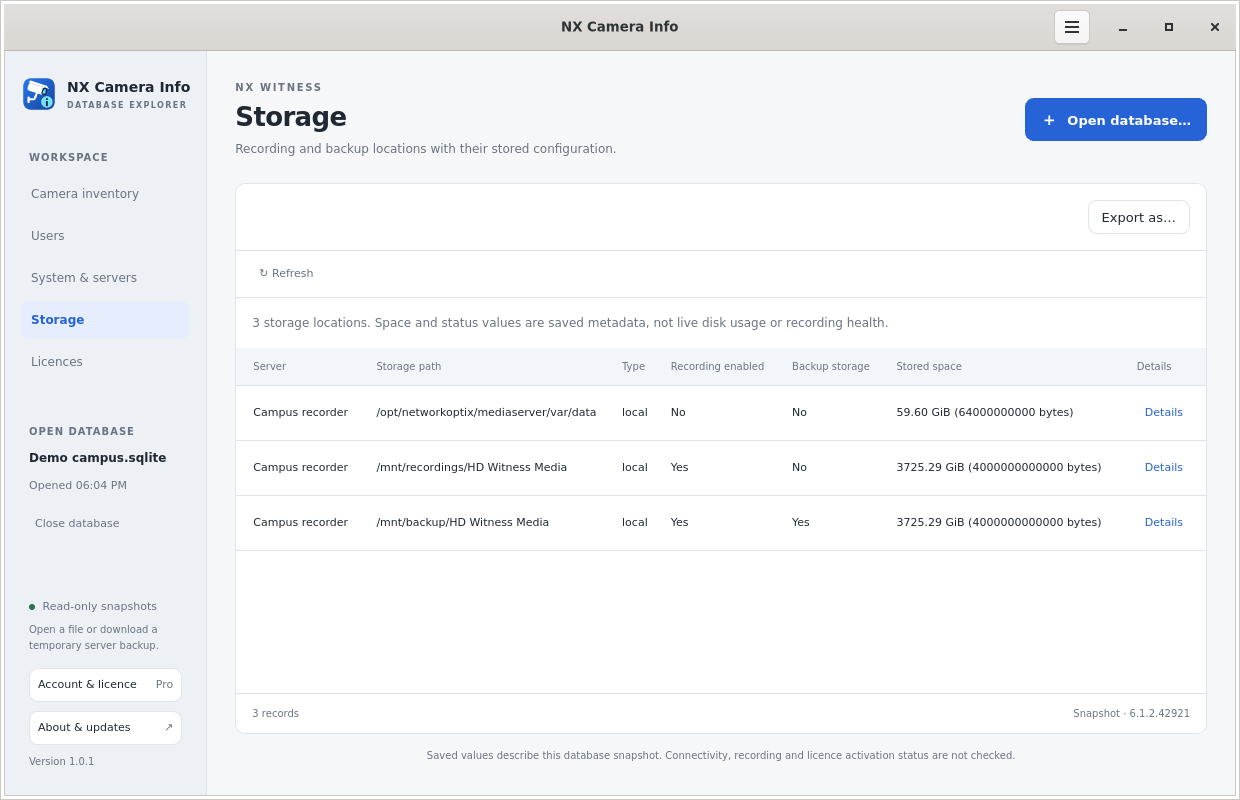 Storage configuration
Nx licences: keys, capacity and deactivation information
The report includes full stored keys, serials, channel counts, class, version, brand, hardware ID, expiry and other licence-block fields. An empty expiry is shown as not set; it is not a verified validity result. Full keys are included in exports even when camera passwords are masked.
For applicable records, remaining deactivations use the Nx 6.1.2 calculation max(0, 3 - DEACTIVATIONS). The stored counter is deactivations already used. If it is absent, the calculation defaults to zero used and three remaining. For example, one used gives two remaining, regardless of channel count.
NVR and time-limited licences show Not applicable. Invalid counters or missing required class/expiry metadata show Unknown with an explanation. Values reflect the snapshot and are not checked with the online licensing service.
Remaining activations are a separate value and are unavailable from the database. Channel count is licensed capacity, not an activation allowance. The app does not transmit Nx licence keys to a service or promise a future activation or deactivation will be approved.
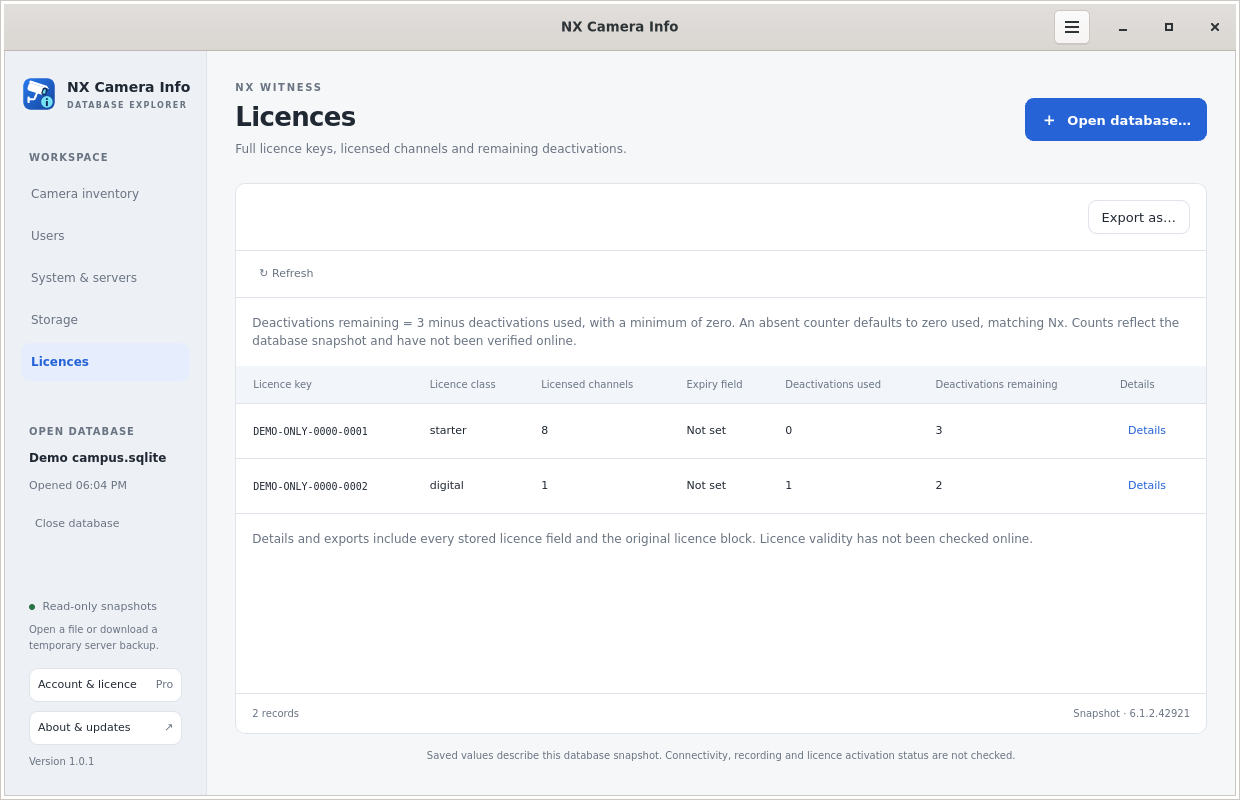 Nx licence records
These Nx licence records are separate from your NX Camera Info Pro licence and its five-device allowance. For a useful retained report, see exports; for the operational context, see migration planning.