
Use NX Camera Info Pro to document the saved configuration before an Nx Witness server migration. A readable report complements the official backup and restore process; it does not perform the migration itself.
The scenario: replacing hardware with fewer unknowns.
Before a planned change, obtain a fresh, consistent site backup while the original installation is available. Keep it with your change records. Open a copy and establish which cameras belong to each server, what versions are recorded and which storage locations were configured.
A multi-server site can contain more servers than the camera list suggests. Review the System & servers section as well as camera assignments, so a server with no saved camera assignment is not accidentally omitted from the plan.
What to record before the change
| Report | Useful saved information | Follow-up check |
|---|---|---|
| Cameras | Names, addresses, identities and server assignment | Verify current devices and network reachability. |
| System & servers | Nx version/build, main and discovery addresses, OS and hardware | Confirm the running version and planned compatibility. |
| Storage | Paths, recording/backup flags, saved capacity and limits | Plan actual disk, mount and archive handling separately. |
| Licences | Full keys, hardware association, channels and deactivation fields | Confirm current validity and any transfer requirements through Nx. |
| Users | Account types, roles, emails and groups | Confirm continuing authorised access with the owner. |
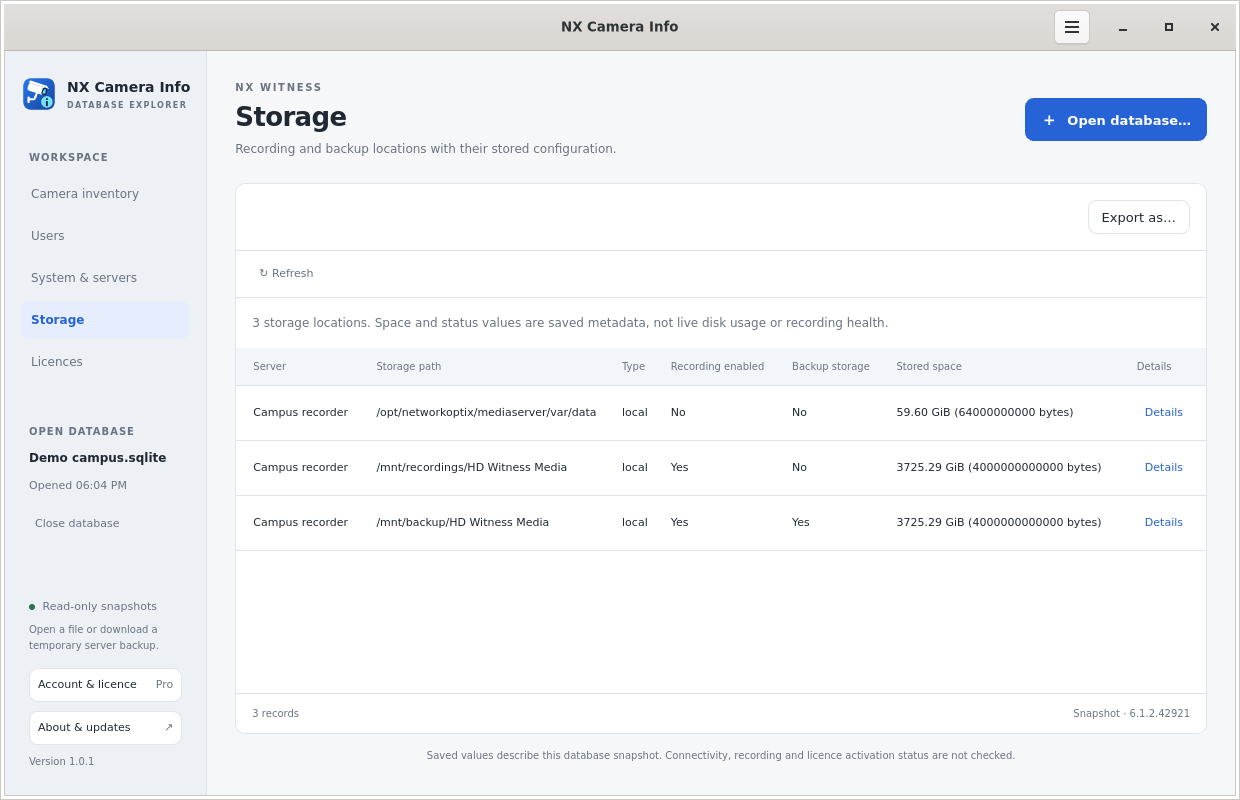 Storage configuration
Read the licence report carefully.
Channel counts describe capacity, not a number of remaining activations. The separate remaining-activations value is unavailable from the database. Calculated remaining deactivations follow the saved Nx 6.1.2 fields and can be stale; ineligible or incomplete records are explained rather than treated as a valid transfer allowance.
Do not interpret an empty expiry field as proof of a valid licence. Full keys are useful recovery records and sensitive data. Limit who receives the export and avoid putting keys in general change tickets or screenshots.
Keep the actual migration procedure authoritative.
Network Optix documents version compatibility, server data and archive handling in its backup and restore guide. Follow the procedure appropriate to your system. A configuration report cannot substitute for the original backups, server-specific settings or recordings needed by that procedure.
After the work, create a fresh backup and inspect it as a separate snapshot. Compare the reports using your normal review tools; NX Camera Info does not provide an automatic before/after migration validator. See CSV and JSON exports for a consistent report format.