
A failed Nx Witness server does not prevent you from inspecting a readable backup on another computer. NX Camera Info can turn that saved configuration into a camera inventory and, with Pro, a more detailed recovery reference.
Which CCTV information can you recover?
| Information | Edition | How it helps |
|---|---|---|
| Camera names, IP addresses, manufacturers and models | Free | Build a starting inventory for the replacement system. |
| Saved camera usernames and passwords | Pro | Recover stored login details where supported; check whether they are still current. |
| Server addresses, Nx versions and user roles | Pro | Document the old environment and the accounts configured in it. |
| Storage paths and Nx licence records | Pro | Record saved configuration before planning restoration or migration. |
| CSV and JSON reports | Pro | Give the authorised recovery team a portable reference. |
The scenario: a backup, but no working recorder.
Imagine a site where the server no longer boots. The owner has a recent configuration backup but only a partial list of cameras. Before replacing hardware or making changes, you need to know what the backup actually contains: camera names and addresses, model information, server assignments and the date or version context of the saved system.
Keep the original backup intact and work from a copy. If the only data is on a failing drive, obtaining a reliable copy is a separate recovery task. NX Camera Info is not a disk-repair utility and cannot guarantee that a truncated or corrupted database can be read.
Build the recovery reference.
- Open the copy locally. Choose Open database, then Local file. A supported SQLite site database can be inspected without starting the old Nx server.
- Inventory the cameras in Free. Search names and saved addresses, check models and server assignments, and include virtual records only if they are relevant.
- Add Pro context. Review saved camera credentials, server addresses, Nx builds, user roles, storage paths and licence records.
- Record gaps. Missing credentials, blank metadata and old discovery addresses are uncertainties to resolve, not proof that a device was unconfigured.
- Retain a report when needed. Pro can export the inventory or complete site report to CSV or JSON. Keep its origin and snapshot date with the file.
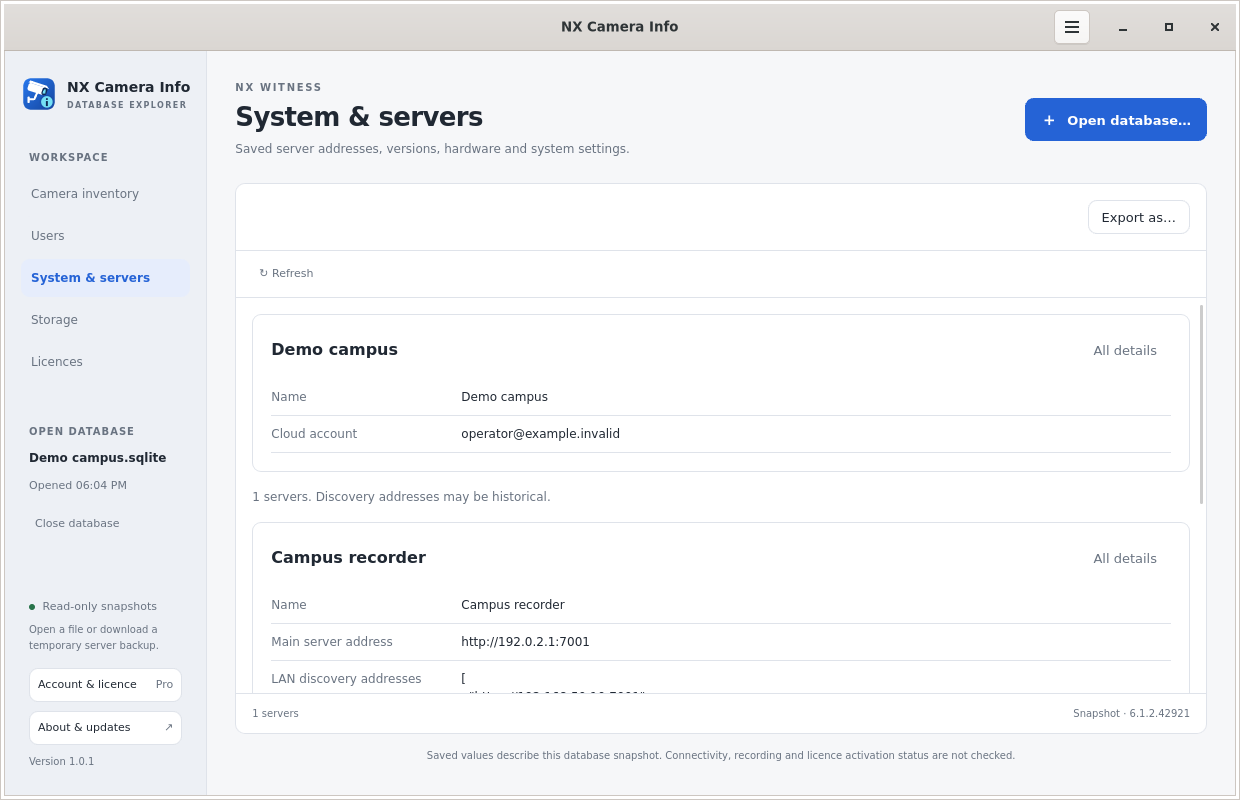 System and server information
Use the report to plan, not to assume.
The report may identify the previous server’s main address, OS, CPU, RAM and time zone where those were stored. Camera details may give the installer a useful starting list. However, an address might have changed, a camera might have been replaced and an old credential might no longer work. Validate those points on the recovered or replacement network.
Storage records can explain the old recording or backup paths, but they do not contain the video archive or prove that recordings survived. Nx licence records can document keys and hardware associations; they do not guarantee that the licensing service will accept a new activation.
Keep restoration as its own job.
Use Network Optix’s server backup and recovery instructions for the actual restoration procedure. NX Camera Info does not restore the server or rewrite its database.
Continue with the migration planning guide if hardware is changing, or the handover guide if the priority is getting the recovered information to a new team.
Looking for a different kind of CCTV tool? Compare backup inspection, camera password recovery and network discovery before choosing the next step.